Using AI in the
Higher Education
Boardroom
Five moments every higher education board knows, and what changes when AI is in the room.
Two items need a vote Thursday: the capital project approval and the updated committee charter1. The accreditation update requested in June is still open2.
How AI Is Transforming Boards
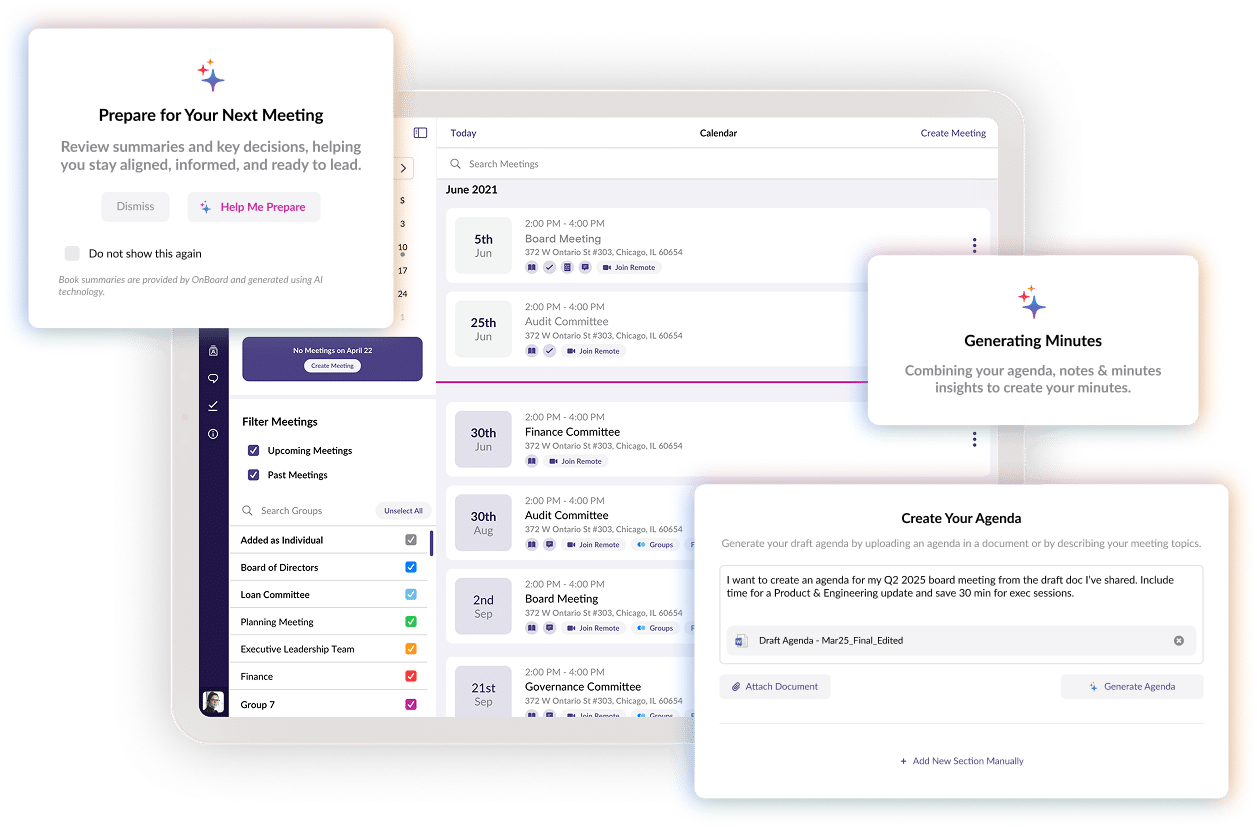
OnBoard AI is built into your board portal. It answers questions from your board materials, drafts minutes, and shows how meetings went, all inside the same secure, permissioned system as your board book.
Retain
Every decision and discussion stays in your governance record, so institutional knowledge outlasts turnover. Directors can ask for it in plain language.
Protect
OnBoard AI works inside your secure portal, so board content stays in your control and out of public tools.
Amplify
Admins get a first draft of minutes. Executives get meeting insights. Directors get easier prep.
Too much board book, too little time to prepare?
Have you ever wondered if there’s an easier way for trustees to review the board book and prepare for the next meeting?
The whole book lands at once. Trustees skim what they can, and real prep gets squeezed into the night before the meeting.
OnBoard’s AI Book gives concise summaries, section briefs, and read-time estimates, so they can plan their prep and focus on the items that need a vote. It guides the reading. It doesn’t replace it.
What did the board decide last year, and why?
If an accreditor, a legislator, or a new trustee asked what your board decided, would you know where to find the answer?
Decisions live in old board books, email threads, and someone’s memory. When a question comes up, staff or trustees must dig for it.
Ask OnBoard’s AI Assist in plain language what the board decided and why. Answers are cited from your board materials, so when an accreditor, a legislator, or a new trustee asks, the record is one question away. Access controls still apply.

Want to See How OnBoard AI Works for Your Board?
Book a meeting with our team and we'll walk you through it.
Are minutes your board professional’s bottleneck?
What if there were a faster way to turn board and committee discussions into draft minutes, ready for review and approval?
Someone takes notes through a long session, then rebuilds the discussion afterward. Decisions can fade before the record closes.
OnBoard’s AI Minutes captures the discussion and drafts minutes, with an outline of decisions and actions. Your board professional or secretary starts from a draft, then reviews, edits, and approves it.
What if executive session materials ended up in a public AI tool?
How can your board use AI without putting executive session or other sensitive institutional materials into public tools?
92% of trustees use AI to support board work, and a majority have no policy governing it. Without an approved option, board materials are one paste away from a public tool.
OnBoard AI runs inside your portal, under the same permissions as the board record itself. Access follows each person's role. Your data is never used to train AI.
Stays in your region, outside any public LLM
Is the board spending its time on strategy?
Do you ever wonder how much of your meeting time goes to operational detail?
Afterward, everyone leaves with an impression. Did the right topics get the time? Did every voice get heard? Without a record, it stays a feeling.
OnBoard's AI Meeting Insights turns the transcript into a readout of how the meeting went: where time was spent, how deep the discussion ran, what questions were asked, and whether the agenda stayed on track.
Why 800+ higher education institutions run on 
"The software’s ease of use, even for those with varying tech skills, has been a highlight. Plus, its AI tools have undoubtedly sped up our approval processes."
Jon Olson, Executive Leadership, Winona State University"As a lifelong trustee and adjunct professor, I’ve seen how chaotic board meetings can be. OnBoard has eliminated the excess, keeping everything accessible in one platform. It really strengthens our governance and efficiency."
Jeanne Fox, Board Member, RutgersUniversity of Louisiana System
- directors access timely, accurate materials in one secure place, which builds board confidence
- staff upload materials once instead of juggling scattered drives and emails
- engagement analytics track logins and activity so staff can send reminders








Not ready to talk? Click through for yourself.
Take a self-guided tour of the OnBoard AI Suite at your own pace.